NoChatReports Download

Banned from Minecraft for chat: now what?

If a ban screen greets you at game launch, Mojang has banned your account from all multiplayer servers and Realms, temporarily or permanently. If the message only appears on one specific server, that's the server's own ban — talk to its admins instead.

How it usually happened: on some server (or Realm) your chat was signed, you said something that fits one of Mojang's report categories, and either another player reported it or — on Realms — automated moderation flagged it without anyone reporting at all. There is no way to find out when it happened, who reported you, or which exact messages broke the rules. That opacity is a big part of why this mod exists.

What the mod can and can't do here deserves a straight answer: No Chat Reports can't undo a ban. Mojang already holds the signed messages. What it prevents is the next one — unsigned chat can't be attributed to your account, so there's nothing for a future report to hold onto.

afterwards

Once you're back, install the mod and watch the status icon: red warning means everything you type is reportable, and the red eye means Realms, where the rules are worse.

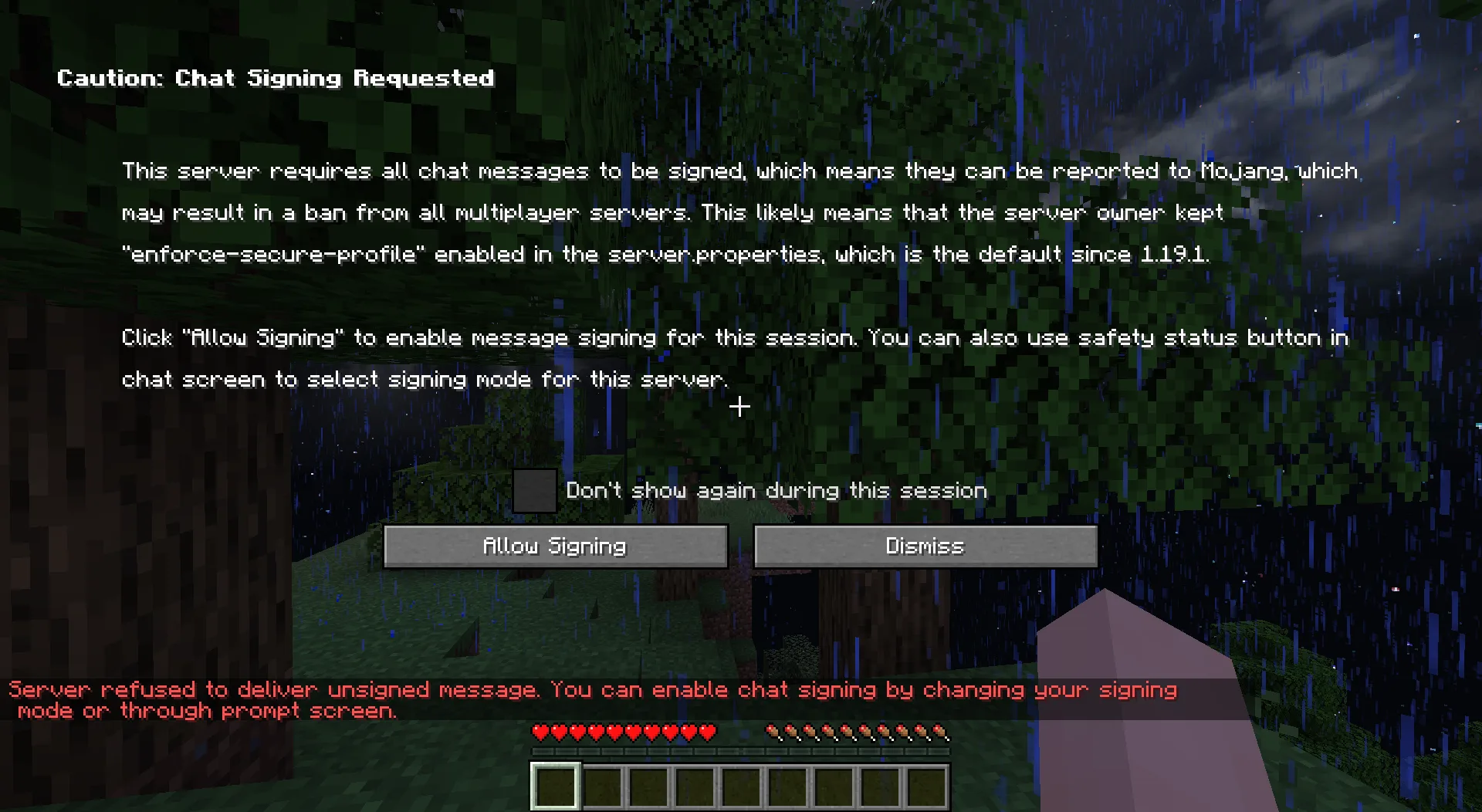
No Chat Reports' full-screen Chat Signing Requested warning, shown before agreeing to sign messages on a strict server
The screen that stands between you and reportable chat: with the mod, signing only happens if you allow it.

Condensed from the official wiki's I Got Banned article, which stays the canonical reference.

Get No Chat Reports

Make the next report impossible.