
NoChatReports Download

How to disable chat reporting in Minecraft

Short version: vanilla has no off switch. Since 1.19, every chat message is signed with your Microsoft account, and 1.19.1 added the report button on top. The No Chat Reports mod removes the signatures, which is what actually disables reporting.

Vanilla gives you two half-measures: an "Only Show Secure Chat" toggle, which hides other people's unsigned messages but changes nothing about yours, and hiding chat altogether. Neither stops your own messages from being signed and reportable. The only real fix is stripping the signatures before they leave your machine.

That's the mod's whole job, and where you install it decides who's covered:

on your client

Your messages leave unsigned, so there's no proof they came from your account and nothing for a report to hold onto. Works wherever the server tolerates unsigned chat; servers with enforce-secure-profile=true (the default since 1.19.1) will refuse it, and on 1.19.3+ you can still join those minus chat commands. Install takes about two minutes.
on your server

The server strips signatures before relaying messages, which kills reporting for every player on it — nobody else needs the mod installed. The server setup guide covers config and safe status.

on both

Signatures stripped going out, never verified coming in. Reporting and "Only Show Secure Chat" stop functioning entirely, and the server can even require the mod from joining clients.

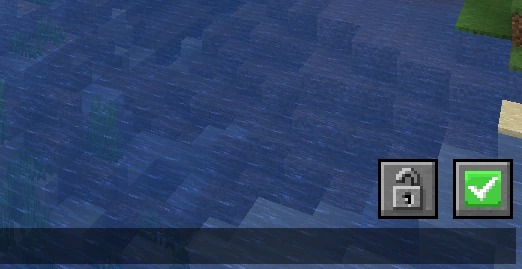
Minecraft chat screen with No Chat Reports' padlock and green check status icons in the corner
Reporting disabled and verified: the green check in your chat screen.

One honest limit, straight from the author: the mod ships no exploits, so client-side it only works where servers allow it. If a server enforces signing and that bothers you, Aizistral's advice is to not play there. His videos walk through the whole reporting system and why the mod exists.

Download No Chat Reports

Free. Open source. Every version, hosted here.